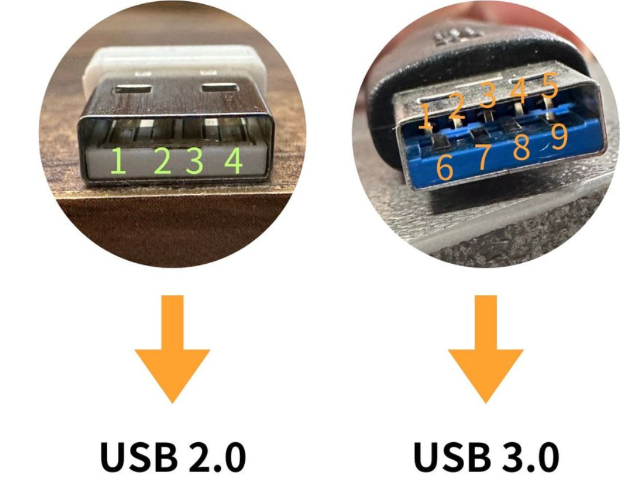
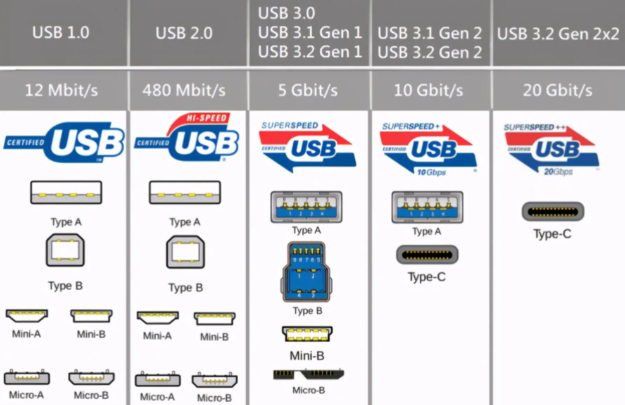
No matter how flashy the packaging or how blue the connector, the best way to know if a data cable is any good is to test its actual transfer speed. It's the most direct and hardcore verification method. Today we'll teach you how to test a cable's real performance using simple tools.
What You'll Need
You will need:
A computer with USB 3.0/3.2 ports (laptop or desktop works fine)
A confirmed USB 3.0+ USB flash drive or external SSD
Benchmark software: CrystalDiskMark (free, small download)
Important: The USB drive/external SSD you use for testing must itself be USB 3.0 or higher, and its speed must exceed the cable's theoretical speed. Otherwise, you'll be measuring the drive's speed, not the cable's. For example, to test a USB 3.0 cable, it's best to use a solid-state flash drive with 300MB/s+ read/write speeds.
Test Method
Step 1: Connect the USB drive to your computer's USB 3.0 port (usually a blue Type-A or Type-C port) using the cable under test.
Step 2: Open CrystalDiskMark and select the drive letter corresponding to your USB drive.
Step 3: Click "All" to start the test, and wait 1-2 minutes for results.
Step 4: Focus on the Seq (sequential read) result.
How to Interpret the Results
Here's a reference for typical sequential read speeds by USB version (actual values will vary depending on your drive):
USB Version | Theoretical Speed | Actual Read Speed | Verdict |
USB 2.0 | 480Mbps | 30-40 MB/s | Fake 3.0 |
USB 3.0 (3.2 Gen1) | 5Gbps | 100-300 MB/s | Pass |
USB 3.2 Gen2 | 10Gbps | 500-900 MB/s | Pass |
Simple Rule of Thumb: If a cable labeled USB 3.0 measures only 30-40 MB/s read speed, don't doubt it - it's a USB 2.0 imposter.
Notes
1. Make sure you're plugging into a USB 3.0 port. Some computers' front-panel ports may be USB 2.0 - we recommend using the ports on the back of the motherboard.
2. Close other programs that might be accessing the disk during testing to avoid skewing results.
3. Test multiple times and take the average - single-run results can fluctuate.
4. For Type-C cables, also check whether it's a full-feature cable or charge-only. Charge-only Type-C cables may not have data transfer pins at all.
Conclusion
Real-world speed testing is the ultimate standard for verifying data cable authenticity. Appearances can be imitated, packaging can be faked, but speed doesn't lie. Spend two minutes running a test, and you'll know instantly whether your money was well spent.
StongWire Technology
Quickly connect everything and send it worldwide
Website: https://www.stongwire.com
Alibaba: https://stongwire.en.alibaba.com
WhatsApp: +86 15976150776
E-Mail: lanzhou@stongwire.com


 2026 New 240W Type-C Cable USB C Adapter with PD Fast Charging Pure Copper Conductor Silicone Jacket
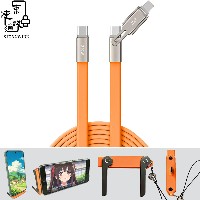 2026 New Stand Data Cable 240W Type C to Type C Cable with Travel Holder Adapter for Xiaomi Huawei L
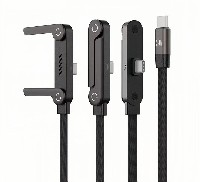 2026 NEW 240W Fast Charging Cable with Phone Stand Nylon Braided Cable USB C Type C Data Cable PD3.1
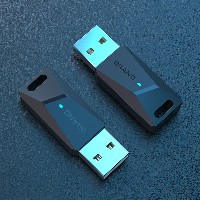 ST-BTR002 Forming Bluetooth receiver Stable and non lagging in car Bluetooth audio cable
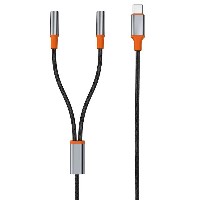 ST-YP-31 L1 type L-dual 3.5mm audio TYPE-C audio head to 3.5mm charging+3.5mm audio socket
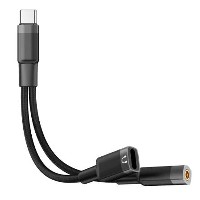 ST-YP-103 Type-C Audio & Charging 2-in-1 Cable (Braided Short Version)
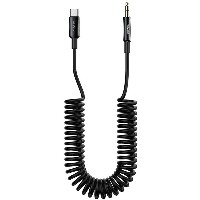 ST-YP-101 Type-C to 3.5mm High-Elasticity Audio Cable (Zinc Alloy Spring Cable Edition)
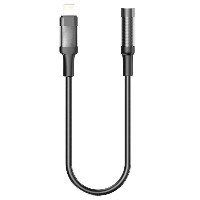 ST-YP-102 Lightning to Bluetooth Audio Transmitter (Braided Transparent Short Version)