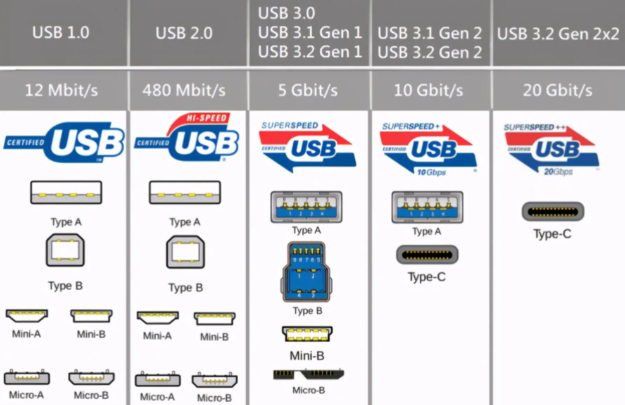
From Nokia Round Pin to USB-C: Recognize Them All at a Glance
Industry Science | 2026-09-24
Do you also have a tangled mess of data cables in a drawer that you can never tell apart? Round pinholes, flat-and-wide ones, trapezoidal "T-connectors", reversible ones... Over more than two decades, the charging connectors on mobile devices such as phones, MP3 players, and tablets have gone through four core generations of evolution. This article takes the most intuitive approach to help you identify all four generations of connectors, so you'll know which old cables still work and what cable to buy for new devices.
1st Generation: Proprietary Interfaces - "Every Brand Its Own" (Early 2000s)
There was no unified connector standard in this period. Major manufacturers built their own brand moats with distinct, often bulky interfaces. Three typical forms stood out:
Round Pinhole Connector: Represented by early Nokia phones, the plug was a long, thin, cylindrical hollow metal pin (available in both large and small round heads). Most could only charge, not transfer data.
Long Flat-Wide Connector: Represented by Samsung's early Anycall series and Apple's 30-pin Dock connector (the 30-pin was introduced with the iPod in 2003 and used through the iPhone 4S era). The plug was flat, wide, and long - nearly 3-4 times the width of today's connectors - densely packed with metal contacts inside, and very bulky overall.
Tab-Shaped Combo Connector: Such as Sony Ericsson's Fast-Port: a row of exposed spring contacts on the front, with plastic latches on both sides, resembling a plastic patch with barbs.
The common pain points of this generation: no cross-brand compatibility, one-sided insertion only, large size, and easy damage from incorrect insertion. Carrying two devices from different brands meant carrying two cables.
2nd Generation: Mini USB - The First "Mini-Unification" (Mid-2000s)
As digital products such as MP3 players, external hard drives, and digital cameras became popular, the industry began to push the first phase of micro-standardization, and Mini USB (commonly called "mini USB" or "T-connector") was born.
Identification is simple: the overall shape is a thick trapezoid or flat "T", wide at the plug front and slightly narrower at the back, with noticeable grooves on the sides - like a solid little "black block". It has a polarization design and can only be inserted one way; it won't go in upside down. Commonly found on early MP3/MP4 players, external hard drives, digital cameras, and early smartphones such as Dopod and HTC models.
3rd Generation: Micro USB - The "Absolute Ruler" of the Android Era (Circa 2010)
To meet the trend of smartphones becoming thinner and lighter, the USB-IF organization improved on Mini USB and released the Micro USB connector in 2007. It subsequently became the absolute mainstream of the Android camp during the transition from feature phones to smartphones. The EU's voluntary common charger agreement around 2009 also adopted Micro USB as the standard.
Identification points: much flatter than Mini USB and slightly narrower, also a trapezoidal structure - "narrow on top, wide on bottom" - and only one-sided insertion. On the narrower, smooth face, there are usually two slightly protruding metal barbs (spring clips) that lock into the phone port when inserted, preventing accidental cable disconnection. This is also why many old Android cables "get loose over time" - the barbs wear down. In terms of durability, Micro USB is rated for approximately 10,000 insertion cycles, roughly double that of Mini USB (about 5,000).
4th Generation: The Reversible Era - Type-C and Lightning (2015-Present)
This generation completely solved the "which side is up" problem by supporting double-sided reversible insertion, with a more modern and refined design. It is also the era in which USB Type-C is completing its global unification.
USB Type-C (Current Absolute Mainstream)
The plug tip is a rounded and fully symmetric flat oval; the exterior is a complete metal shell ring, hollow in the middle. Looking inside the plug, you can see a suspended thin plastic core (contact board) densely covered with metal contacts. Because contacts are arranged on both sides and the connector is fully symmetric, it works either way.
Apple Lightning Connector
Unlike Type-C's hollow design, Lightning is a small, solid metal tab introduced in 2012 with the iPhone 5. Each side of the flat metal tab has 8 exposed gold-colored contacts (commonly called 8-pin), with smoothly finished edges and contacts that are highly recognizable. After Apple shifted the iPhone 15 series to USB-C in 2023, Lightning began to exit the smartphone product line.
One Table to Identify All Four Generations
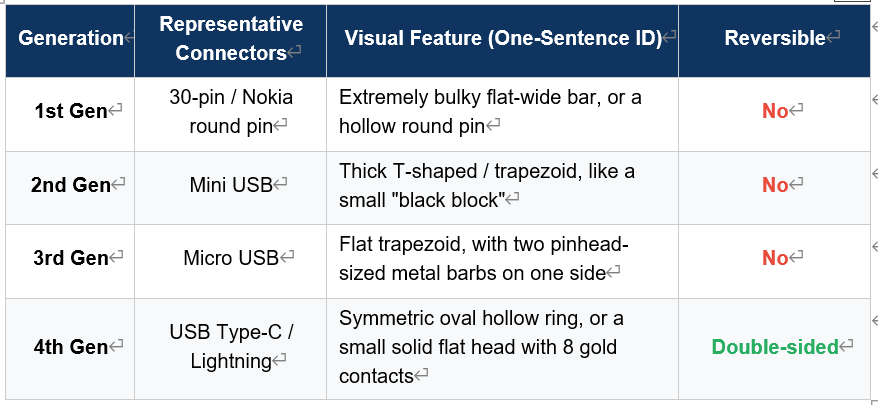
Practical Tips: What to Do with Old Devices and Old Cables?
1. Check "both ends" before buying a cable. Confirm the device connector on one end (Micro USB or Type-C) and the charger connector on the other (USB-A or Type-C). Don't judge by the cable's appearance alone.
2. Don't throw away cables for old Micro USB devices just yet. Bluetooth speakers, older Kindles, and some small home appliances still use Micro USB. Keep one or two as spares; you can also buy a Micro USB-to-Type-C adapter for emergencies.
3. For new devices, choose USB-IF certified Type-C cables first. Look for the USB-IF logo and TID number on the packaging - that's how you know fast charging and high-speed data transfer are properly supported.
4. Replace cables promptly when connectors are loose or contacts are blackened. Worn Micro USB barbs and oxidized contacts both cause poor connection and overheating, presenting safety hazards if you keep using them.
Conclusion
From Nokia's round pinhole, to Mini USB and Micro USB, to today's Type-C, the evolution of four connector generations is essentially a path of "smaller, more durable, more universal, and more foolproof". The EU's common charger regulation has been in effect since December 28, 2024 for over ten categories of devices including phones and tablets (laptops apply from April 28, 2026), and the Type-C unification era has arrived. Knowing all four generations of connectors is both a trip down memory lane and a way to avoid wasting money when upgrading.
StongWire Technology
Quickly connect everything and send it worldwide
www.stongwire.com
Alibaba: stongwire.en.alibaba.com
WhatsApp: +86 15976150776
E-Mail: lanzhou@stongwire.com


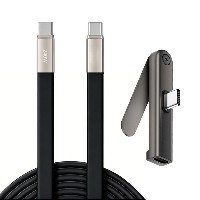 2026 New 240W Type-C Cable USB C Adapter with PD Fast Charging Pure Copper Conductor Silicone Jacket
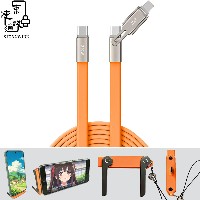 2026 New Stand Data Cable 240W Type C to Type C Cable with Travel Holder Adapter for Xiaomi Huawei L
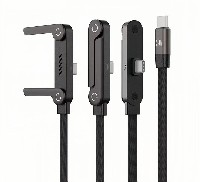 2026 NEW 240W Fast Charging Cable with Phone Stand Nylon Braided Cable USB C Type C Data Cable PD3.1
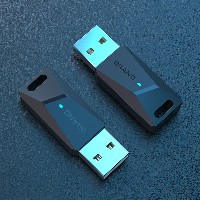 ST-BTR002 Forming Bluetooth receiver Stable and non lagging in car Bluetooth audio cable
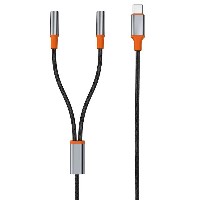 ST-YP-31 L1 type L-dual 3.5mm audio TYPE-C audio head to 3.5mm charging+3.5mm audio socket
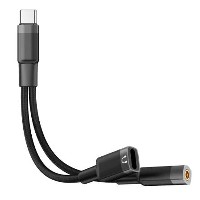 ST-YP-103 Type-C Audio & Charging 2-in-1 Cable (Braided Short Version)
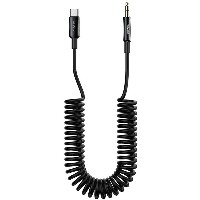 ST-YP-101 Type-C to 3.5mm High-Elasticity Audio Cable (Zinc Alloy Spring Cable Edition)
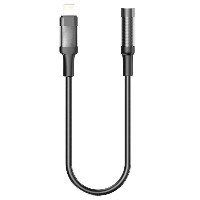 ST-YP-102 Lightning to Bluetooth Audio Transmitter (Braided Transparent Short Version)