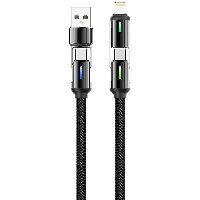
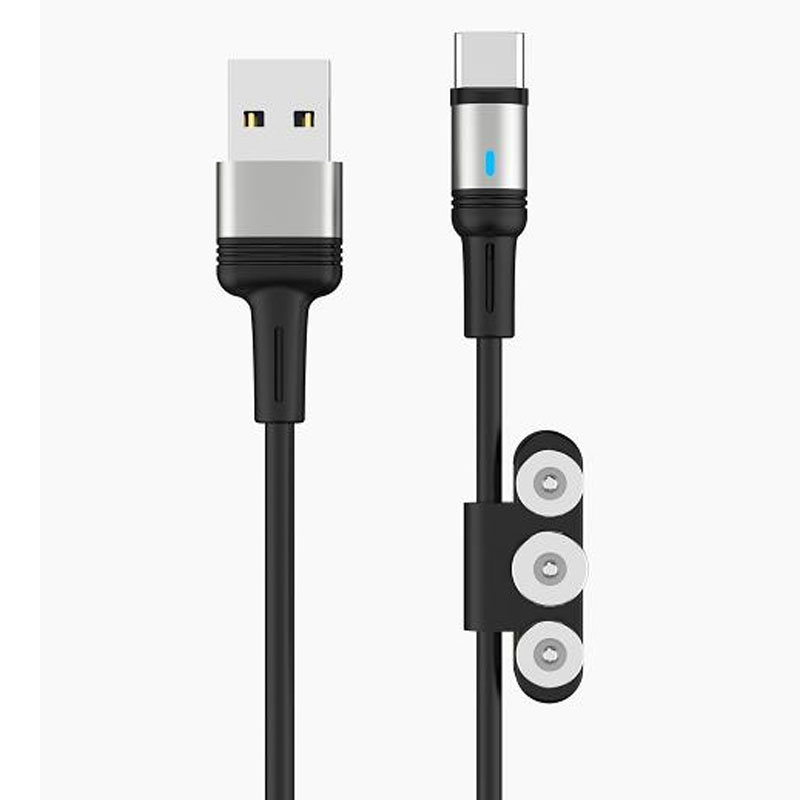
ST114 Second Generation Magnetic Charging Data Cable
Model: ST114
Connector Types: USB-Lightning / Micro-USB / Type-C
Length: 1 meter
Color: Classic Black
Material: TPE outer sheath + Aluminum alloy magnetic connector
Cable Core: 106-strand high-purity copper wires
Product Features & Selling Points:
Second Generation Magnetic Technology - Connect Instantly for Convenient Charging
Features upgraded magnetic modules that enable automatic and precise attachment when the connector approaches the device port. Simply touch to charge without repeated plugging and unplugging for effortless operation.
Enhanced Dual Magnetic Force - Strong Hold Resistant to Movement
Built-in dual magnetic ring reinforced structure provides significantly stronger magnetic force, preventing accidental detachment during daily movement or mild shaking for enhanced stability.
106-Strand High-Conductivity Copper Core - Efficient Charging with Stable Transmission
Equipped with 106 high-purity oxygen-free copper strands for lower resistance and superior conductivity. Supports fast charging and stable data transmission with minimal power loss.
Multi-Interface Magnetic Integration - Organized Storage with Anti-Loss Design
Innovative modular magnetic design supports multiple interfaces. Lightning, Micro, and Type-C connectors magnetically attach to each other for neat storage, reducing the risk of loss and maintaining organization.
Wear-Resistant Aluminum Alloy Connectors - Durable with Premium Finish
Magnetic connectors feature CNC-machined aluminum alloy construction with a smooth, oxidation-resistant surface. Withstands repeated magnetic attachment without wear, combining durability with aesthetic appeal.
Intelligent Safety Protection - Secure Charging that Protects Your Device
Built-in smart recognition chip automatically matches device charging protocols. Features multiple protection systems including over-voltage, over-current, and short-circuit prevention to effectively reduce physical port damage.
Technical Specifications:
Magnetic Strength: ≥1.5 kg attraction force
Output Current: Up to 2.4A (intelligently adaptive)
Data Transfer: Supports USB 2.0 data transfer
Operating Temperature: -10°C ~ 40°C
Interface Compatibility: Lightning / Micro-USB / Type-C
Applicable Scenarios:
Frequent charging environments including office desks, bedside setups, and car charging
iPhone and Android smartphone users prioritizing charging port protection
Tech enthusiasts requiring alternating charging for multiple devices
Daily commuting, travel, and scenarios valuing convenience and technological innovation


 2026 New 240W Type-C Cable USB C Adapter with PD Fast Charging Pure Copper Conductor Silicone Jacket
 2026 New Stand Data Cable 240W Type C to Type C Cable with Travel Holder Adapter for Xiaomi Huawei L
 2026 NEW 240W Fast Charging Cable with Phone Stand Nylon Braided Cable USB C Type C Data Cable PD3.1
 ST-BTR002 Forming Bluetooth receiver Stable and non lagging in car Bluetooth audio cable
 ST-YP-31 L1 type L-dual 3.5mm audio TYPE-C audio head to 3.5mm charging+3.5mm audio socket
 ST-YP-103 Type-C Audio & Charging 2-in-1 Cable (Braided Short Version)
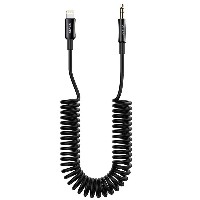
 ST-YP-101 Type-C to 3.5mm High-Elasticity Audio Cable (Zinc Alloy Spring Cable Edition)
 ST-YP-102 Lightning to Bluetooth Audio Transmitter (Braided Transparent Short Version)

 Quote within 24 hours manually
 Quote automatically by the system
 3D design and render
 Sampling within 7 days