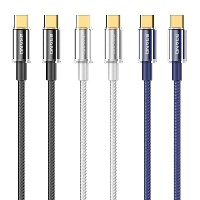
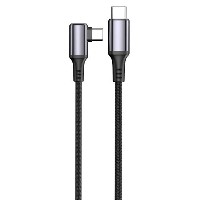
ST313 Digital Display Smart Fast-Charging Cable
Product Overview
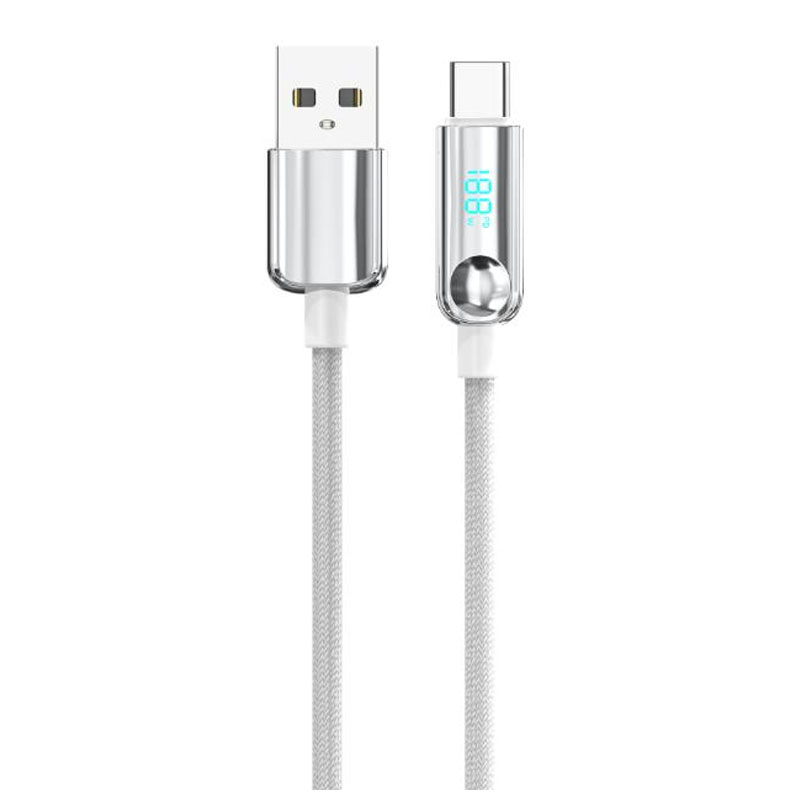
The ST313 series is an intelligent fast-charging cable that combines a high-tech aesthetic with precise monitoring capabilities. Its standout feature is a built-in digital display screen, which shows real-time, precise readings of charging voltage (V) and current (A), making the charging status clearly visible. This series offers four connector specifications (USB to Lightning/Micro/Type-C, as well as Type-C to Type-C/Type-C to Lightning). Each connector type is a separate SKU; please select the corresponding model based on your device's requirements.
Key Specifications
Length: 1 meter
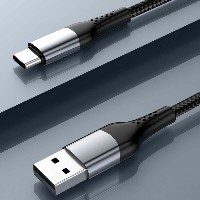
Material: 48-strand high-density braided cable body + PC rubber plated shell
Cable Diameter (OD): 4.0 mm
Color: Electroplated Black-Silver Gradient
Internal Wire Structure:
USB to Lightning variant: (43/0.08BS+250D)*2C + (16/0.08BS+250D)*2C
USB to Type-C variant: Supports 5A current.
60W Type-C to Type-C / 30W Type-C to Lightning variants: (55/0.08BS+250D)*2C + (16/0.08BS+250D)*3C
Performance Specifications
USB to Lightning Variant: Supports 5V/2.4A (up to 12W) charging and data transfer.
USB to Type-C Variant: Supports 5A high-current transfer.
60W Type-C to Type-C Variant: Supports up to 20V/3A (60W) high-power fast charging and high-speed data transfer.
30W Type-C to Lightning Variant: Supports up to 9V/3A (30W) efficient fast charging and data transfer.
Full Series Functionality: All variants support simultaneous charging and data transmission.
Key Selling Points
Smart Digital Display Monitor: Features a built-in high-precision digital screen that shows real-time charging voltage (V) and current (A) values. Allows you to monitor charging power at a glance and identify if the charging status is normal, combining a high-tech feel with practical utility.
Precise Fast-Charging Solutions: Provides tailored fast-charging support for different devices, with support for up to 60W high-power output. Meets diverse fast-charging needs from smartphones to laptops, ensuring more efficient charging.
Robust & Durable Design: Utilizes a 48-strand tight braiding process to enhance the cable's tensile and abrasion resistance. The PC rubber shell with electroplating offers a premium look and feel while effectively protecting the internal circuitry.
Real-Time Data Feedback: The real-time power display allows users to intuitively assess the compatibility between the charger and cable, and confirm if the device has entered fast-charging mode, making it a powerful tool for troubleshooting charging issues.
Use Cases
Ideal for tech enthusiasts and digital aficionados who require precise monitoring of charging status and pursue charging efficiency, as well as users of smartphones, tablets, laptops, and other devices who have higher requirements for charging safety.


 2026 New 240W Type-C Cable USB C Adapter with PD Fast Charging Pure Copper Conductor Silicone Jacket
 2026 New Stand Data Cable 240W Type C to Type C Cable with Travel Holder Adapter for Xiaomi Huawei L
 2026 NEW 240W Fast Charging Cable with Phone Stand Nylon Braided Cable USB C Type C Data Cable PD3.1
 ST-BTR002 Forming Bluetooth receiver Stable and non lagging in car Bluetooth audio cable
 ST-YP-31 L1 type L-dual 3.5mm audio TYPE-C audio head to 3.5mm charging+3.5mm audio socket
 ST-YP-103 Type-C Audio & Charging 2-in-1 Cable (Braided Short Version)
 ST-YP-101 Type-C to 3.5mm High-Elasticity Audio Cable (Zinc Alloy Spring Cable Edition)
 ST-YP-102 Lightning to Bluetooth Audio Transmitter (Braided Transparent Short Version)

 Quote within 24 hours manually
 Quote automatically by the system
 3D design and render
 Sampling within 7 days