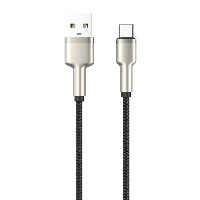
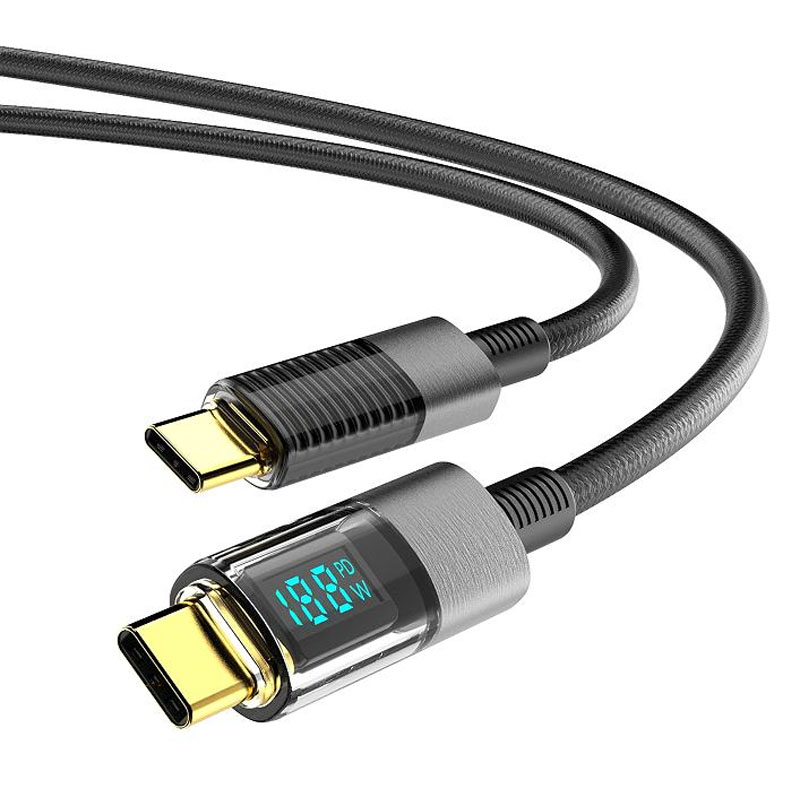
ST239 Digital Power Display Smart Braided Fast-Charging Data Cable
Product Overview
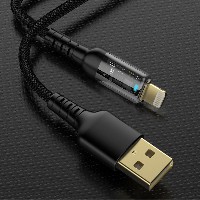
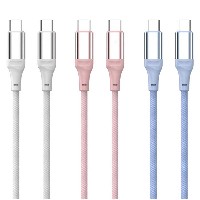
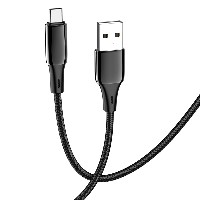
The ST239 series is a professional-grade fast-charging data cable equipped with a high-precision digital power display system. It innovatively provides real-time, intuitive display of charging power in watts (W), offering users a quantifiable and monitorable charging experience. This series offers four connector specifications (USB to Lightning/Type-C, as well as Type-C to Type-C/Type-C to Lightning). Each connector type is a separate SKU; please select the corresponding model based on your device type.
Key Specifications
Performance Specifications
USB to Lightning Variant: Supports 5V/2.4A (up to 12W) charging and data transfer
USB to Type-C Variant: Supports 5V/4.5A (up to 22.5W) charging and data transfer
60W Type-C to Type-C Variant: Supports 20V/3A (up to 60W) PD fast charging
30W Type-C to Lightning Variant: Supports 9V/3A (up to 30W) fast charging
Full Series Functionality: All variants support simultaneous charging and data transfer
Key Selling Points
Watt-Level Digital Power Display
Breaks through the market limitation of only displaying current (A) and voltage (V) by directly showing real-time charging power in watts (W).
A bright digital screen clearly displays real-time power, allowing users to intuitively understand charging efficiency and device status.
Built-in High-Precision Power Monitoring Chip
Utilizes a professional-grade power management chip to collect real-time voltage and current data and accurately calculate power.
Supports dynamic power tracking, provides real-time feedback on charging status changes, and offers intelligent alerts for abnormal conditions.
Intelligent Protocol Recognition and Power Adaptation
Automatically recognizes device charging protocols and intelligently matches the optimal charging solution.
Fully compatible with mainstream fast-charging protocols such as PD and QC, supporting multi-level power output from 12W to 60W.
Aluminum Alloy Braided Durable Structure
The aluminum alloy digital display housing is precision CNC-machined for excellent heat dissipation, pressure resistance, and scratch protection.
The dense braided cable body provides outstanding tensile strength and tangle resistance, extending its service life.
Dual Safety and Stability Assurance
Built-in multiple protection circuits for over-voltage, over-current, and over-temperature.
The power display system is independently powered, ensuring it does not affect the safety and stability of the main charging circuit.
Use Cases
Digital enthusiasts and tech lovers.
Professional users who require precise monitoring of charging efficiency.
Multi-device charging management and performance testing scenarios.
Users with high requirements for charging safety and transparency.
Technical Features
Display Accuracy: ±1% wattage error.
Refresh Rate: Updates twice per second in real-time.
Display Content: Real-time power (W), charging status indicator.
Operating Temperature: 0°C to 45°C.
Important Notes
The digital display function requires power to operate; the adapter must support the corresponding fast-charging protocol.
Avoid prolonged exposure to high-temperature and high-humidity environments.
Actual displayed power may vary slightly due to device compatibility.
It is recommended to use the original or certified charger for optimal display accuracy.


 2026 New 240W Type-C Cable USB C Adapter with PD Fast Charging Pure Copper Conductor Silicone Jacket
 2026 New Stand Data Cable 240W Type C to Type C Cable with Travel Holder Adapter for Xiaomi Huawei L
 2026 NEW 240W Fast Charging Cable with Phone Stand Nylon Braided Cable USB C Type C Data Cable PD3.1
 ST-BTR002 Forming Bluetooth receiver Stable and non lagging in car Bluetooth audio cable
 ST-YP-31 L1 type L-dual 3.5mm audio TYPE-C audio head to 3.5mm charging+3.5mm audio socket
 ST-YP-103 Type-C Audio & Charging 2-in-1 Cable (Braided Short Version)
 ST-YP-101 Type-C to 3.5mm High-Elasticity Audio Cable (Zinc Alloy Spring Cable Edition)
 ST-YP-102 Lightning to Bluetooth Audio Transmitter (Braided Transparent Short Version)

 Quote within 24 hours manually
 Quote automatically by the system
 3D design and render
 Sampling within 7 days