ST79 U-Shaped Smart Power-Off LED Data Cable
Product Overview
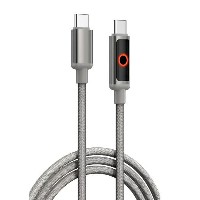
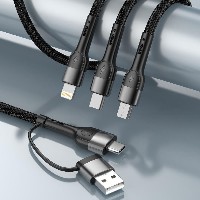
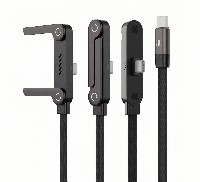
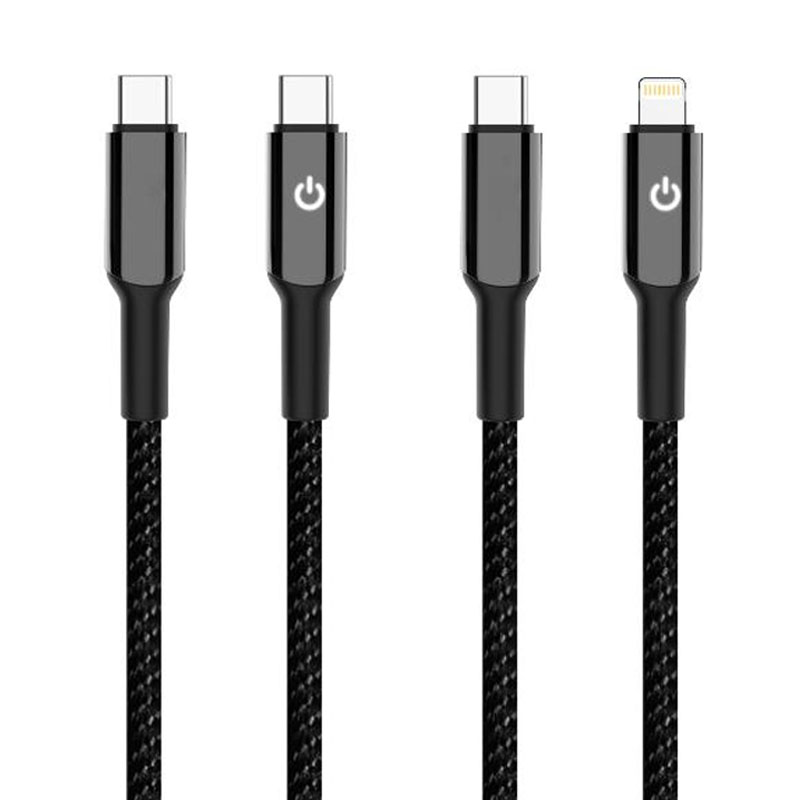
The ST79 series is an innovative data cable that integrates a unique U-shaped LED lighting design with intelligent power-off protection. Its distinctive U-shaped connector area houses an integrated LED module that emits a soft glow during charging and automatically cuts off power 30 minutes after the device is fully charged, effectively preventing battery overcharging and extending device lifespan. This series offers four independent connector specifications (USB to Lightning/Micro/Type-C, as well as Type-C to Type-C/Type-C to Lightning). Each model is available as a separate SKU; please select the corresponding product based on your device's port type.
Key Specifications
Length: 1 meter
Material: Braided cable body + Zinc alloy connector housing
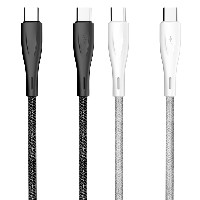
Colors: Classic Black / Energy Red
Performance Specifications:
USB to Micro/Lightning/Type-C variants: Support 5V/2.4A (up to 12W) charging and data transfer
60W Type-C to Type-C variant: Supports 20V/3A (up to 60W) PD fast charging
30W Type-C to Lightning variant: Supports 9V/3A (up to 30W) fast charging
Key Selling Points
U-Shaped Smart LED Indicator:
The connector area features a unique U-shaped translucent structure with built-in low-power LEDs that automatically emit a soft glow during charging, providing clear visual feedback on power status.
The light is evenly diffused and gentle, ensuring comfortable nighttime use without glare, combining practicality with technological aesthetics.
30-Minute Auto Power-Off Protection:
Equipped with an intelligent control chip that automatically cuts power 30 minutes after the device is fully charged, preventing the battery from remaining at 100% for extended periods.
Effectively reduces risks such as battery swelling and aging caused by overcharging, enhancing battery health and safety.
Braided Alloy Durable Construction:
The dense braided cable body offers excellent tensile strength and wear resistance. The zinc alloy connectors are precision-engineered for stable plugging/unplugging and strong oxidation resistance.
The overall structure is robust and reliable, suitable for daily high-frequency use and travel.
Intelligent Adaptive Fast Charging:
Automatically recognizes connected device types and matches the optimal charging protocol, supporting multi-level safe fast charging from 12W to 60W.
Compatible with various devices such as smartphones, tablets, and laptops, delivering efficient and stable charging.
Use Cases
Ideal for daily charging and data synchronization of smartphones, tablets, laptops, Bluetooth earphones, and other devices. Particularly suitable for scenarios such as overnight charging, long-term plugged-in use, and office desk organization. It is the perfect choice for users who prioritize battery safety and convenience.
Usage Tip
The auto power-off function activates based on detection of the device's full charge status. For optimal charging and protection performance, it is recommended to use the original or certified chargers.


 2026 New 240W Type-C Cable USB C Adapter with PD Fast Charging Pure Copper Conductor Silicone Jacket
 2026 New Stand Data Cable 240W Type C to Type C Cable with Travel Holder Adapter for Xiaomi Huawei L
 2026 NEW 240W Fast Charging Cable with Phone Stand Nylon Braided Cable USB C Type C Data Cable PD3.1
 ST-BTR002 Forming Bluetooth receiver Stable and non lagging in car Bluetooth audio cable
 ST-YP-31 L1 type L-dual 3.5mm audio TYPE-C audio head to 3.5mm charging+3.5mm audio socket
 ST-YP-103 Type-C Audio & Charging 2-in-1 Cable (Braided Short Version)
 ST-YP-101 Type-C to 3.5mm High-Elasticity Audio Cable (Zinc Alloy Spring Cable Edition)
 ST-YP-102 Lightning to Bluetooth Audio Transmitter (Braided Transparent Short Version)

 Quote within 24 hours manually
 Quote automatically by the system
 3D design and render
 Sampling within 7 days