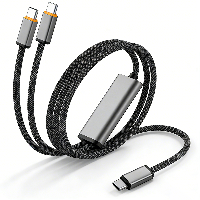
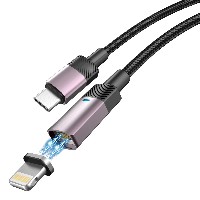
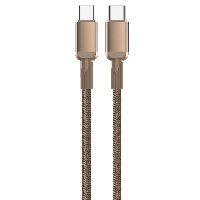
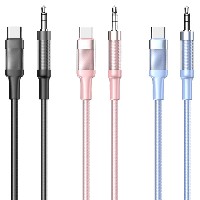
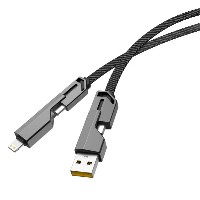
ST229 5-in-1 Charging Data Cable
Model: ST229
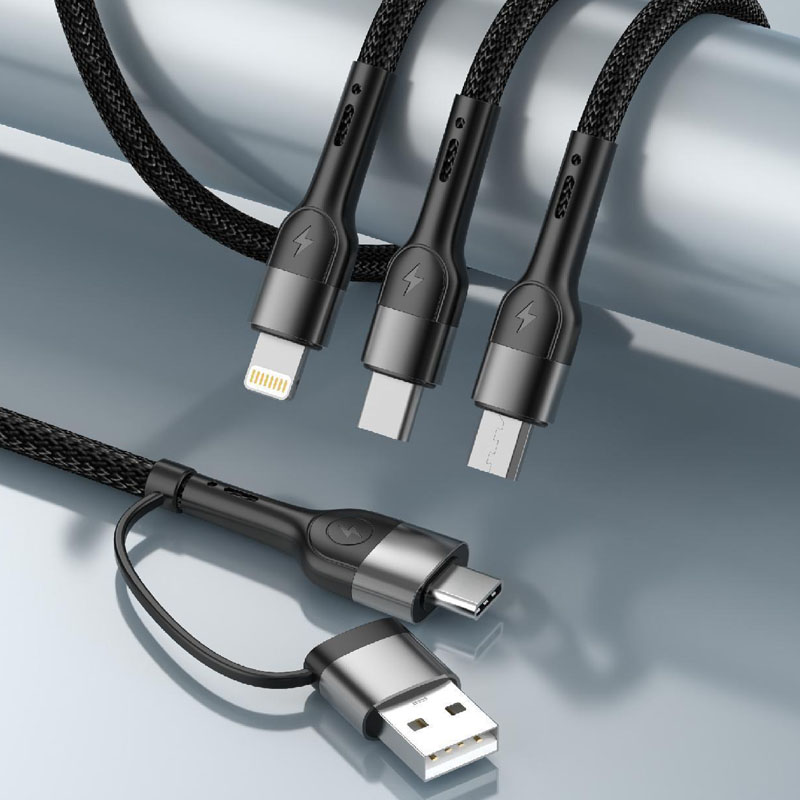
Connector Types: USB to Lightning/Micro/Type-C + Type-C to Type-C + Type-C to Lightning + Type-C to Micro
Length: 1 meter
Colors: Classic Black / Minimalist White
Material: 48-strand Braided Outer Layer + TPE Inner Layer + Aluminum Alloy Shell
Product Features & Selling Points:
5-in-1 Intelligent Split Charging, Four Devices Charging Simultaneously
Integrates multiple charging interfaces to support four devices charging at the same time, efficiently utilizing power output. Meets the parallel charging needs of multi-device users and frees up desk space.
High-Quality Aluminum Alloy Shell, Oxidation and Corrosion Resistant
Made with precision-machined one-piece aluminum alloy shell, surface-treated for oxidation resistance. Durable and resistant to fading or wear over long-term use, showcasing a premium feel.
Multi-Protocol Intelligent Matching, Full Device Compatibility
USB to Lightning/Micro/Type-C: Supports 5V/2.4A (12W) output, compatible with mainstream smartphones and tablets
60W Type-C to Type-C: Supports 20V/3A (60W) PD fast charging, suitable for laptops and high-performance tablets for rapid full charging
12W Type-C to Lightning: Supports 5V/2A (10W) output, providing stable charging for iPhone devices
18W Type-C to Micro: Supports 9V/2A (18W) fast charging, compatible with efficient charging for older Micro-interface devices
48-Strand Braided Tough Cable Body, Tensile and Tangle Resistant
High-density 48-strand braiding enhances cable wear resistance and tensile strength, while the TPE inner layer ensures flexibility and bend resistance, offering a solid and reliable overall structure.
Convenient Travel Choice, One Cable Multi-Function Saves Space
No need to carry multiple cables or chargers. One cable meets the charging needs of various devices such as smartphones, tablets, and laptops, making business trips and travel easier.
Technical Specifications:
Supported Protocols: Mainstream fast-charging protocols such as PD, QC, AFC, FCP
Data Transfer: USB 2.0 high-speed transfer
Operating Temperature: -10°C ~ 45°C
Shell Material: Aluminum alloy with oxidation-resistant finish
Applicable Scenarios:
Multi-device parallel charging scenarios at home or in the office
Lightweight charging solutions for business trips and travel
Efficient charging needs for tech enthusiasts and multi-device users
Usage environments focused on desk organization and space optimization


 2026 New 240W Type-C Cable USB C Adapter with PD Fast Charging Pure Copper Conductor Silicone Jacket
 2026 New Stand Data Cable 240W Type C to Type C Cable with Travel Holder Adapter for Xiaomi Huawei L
 2026 NEW 240W Fast Charging Cable with Phone Stand Nylon Braided Cable USB C Type C Data Cable PD3.1
 ST-BTR002 Forming Bluetooth receiver Stable and non lagging in car Bluetooth audio cable
 ST-YP-31 L1 type L-dual 3.5mm audio TYPE-C audio head to 3.5mm charging+3.5mm audio socket
 ST-YP-103 Type-C Audio & Charging 2-in-1 Cable (Braided Short Version)
 ST-YP-101 Type-C to 3.5mm High-Elasticity Audio Cable (Zinc Alloy Spring Cable Edition)
 ST-YP-102 Lightning to Bluetooth Audio Transmitter (Braided Transparent Short Version)

 Quote within 24 hours manually
 Quote automatically by the system
 3D design and render
 Sampling within 7 days