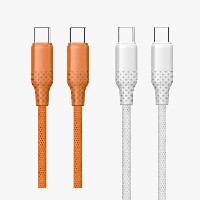
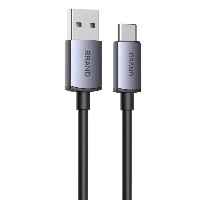
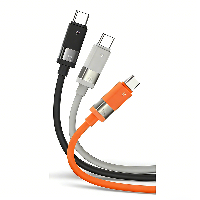
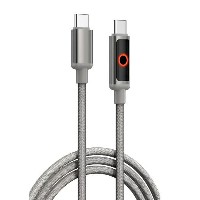
ST296 2-in-1 Smart Fast Charging Data Cable
Product Overview
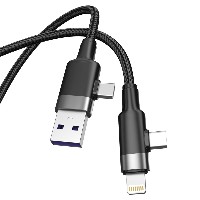
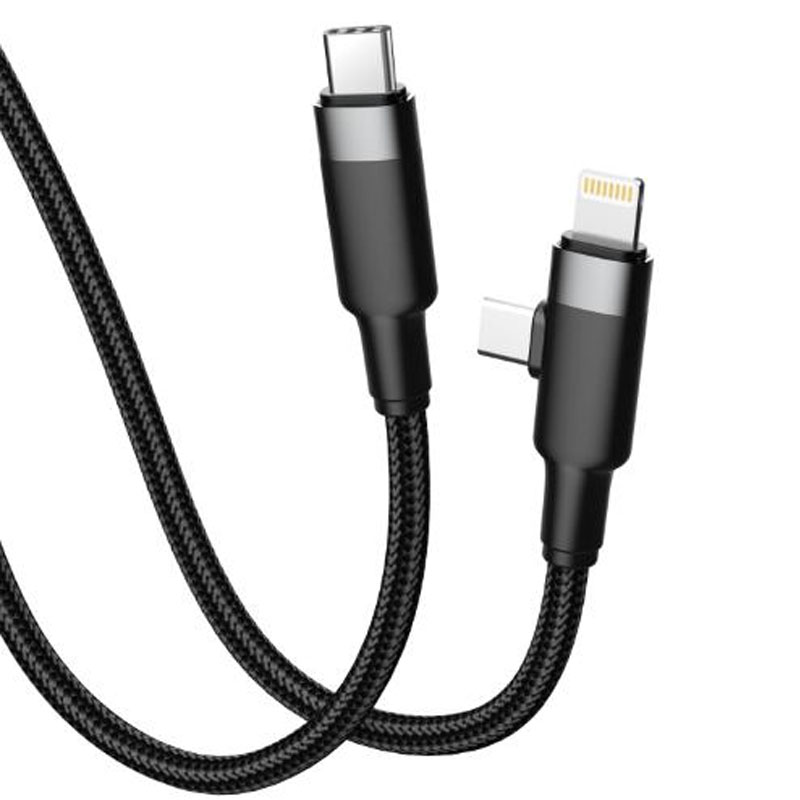
The ST296 is an innovative 2-in-1 smart fast charging data cable, designed specifically for modern multi-device users. Through an intelligent modular interface design, it integrates two mainstream fast-charging solutions—Type-C to Type-C and Type-C to Lightning—into a single cable body. Combined with a three-layer composite material and precision structure, it delivers an all-scenario charging experience of "one cable, dual modes, smart switching." Whether for Apple devices or Android/Type-C devices, this single cable can meet fast charging and data transfer needs.
Key Specifications
Length: 1 meter
Material Structure: TPE buffer inner layer + 48-strand braided middle layer + Aluminum alloy switching module
Colors: Carbon Black / Pearl White
Internal Wire Structure: (55/0.08BS+250D)*2C + (16/0.08BS+250D)*3C
Performance Specifications
Type-C to Type-C Mode: Supports 20V/3A (60W) PD fast charging, compatible with laptops, tablets, and Android devices.
Type-C to Lightning Mode: Supports 9V/3A (30W) PD fast charging, optimized for iPhone 8 and later models.
Full Function Support: Supports simultaneous charging and high-speed data transfer, compatible with mainstream fast-charging protocols such as PD3.0, QC4+, and PPS.
Key Selling Points
2-in-1 Intelligent Switching System
Aluminum alloy rotating module supports 180° precise rotation, allowing quick switching between Type-C to Type-C and Type-C to Lightning modes.
Built-in smart recognition chip automatically detects device type and matches the optimal charging protocol, no manual setup required.
Switching mechanism tested for 10,000 rotation cycles, with accurate positioning and clear tactile feedback.
One Cable for Dual-Platform Needs
A single cable is compatible with both Apple Lightning devices and Type-C interface devices, covering iPhone, iPad, MacBook, Android phones, Windows laptops, and more.
Only this cable is needed for business trips or travel, solving the charging needs of all electronic devices and completely eliminating the burden of multiple cables and adapters.
Supports up to 60W high-power output for fast charging of thin and light laptops.
Three-Layer Composite Reinforced Structure
Inner Layer: Highly elastic TPE buffer layer that effectively absorbs bending stress and protects internal wires.
Middle Layer: 48-strand twill braided layer providing excellent tensile strength and tangle resistance.
Outer Layer: Aluminum alloy CNC switching module with anodized surface treatment for wear and corrosion resistance.
Intelligent Safety Protection Mechanism
Built-in quadruple protection circuit against over-voltage, over-current, over-temperature, and short circuits.
Monitors charging status in real-time, automatically adjusting power or cutting off output in case of abnormalities.
Gold-plated connectors ensure low contact resistance, high charging efficiency, and minimal heat generation.
Use Cases
Daily charging management for users with both Apple and Android devices.
Lightweight electronic accessory solution for business travelers.
Multi-device shared charging in households, reducing cable clutter.
Ideal choice for clean and organized desktop cable management in offices.
Technical Features
Switching Module Lifespan: ≥10,000 rotation cycles
Maximum Continuous Current: 5A
Operating Temperature: -20°C to 60°C
Data Transfer Rate: USB 2.0 standard (480 Mbps)
Connector Plug/Unplug Lifespan: ≥12,000 cycles
Usage and Maintenance
When switching modes, rotate the module until a "click" sound indicates it is locked in place.
Avoid prolonged use of the switching function in humid or high-temperature environments.
For optimal 60W fast charging performance, use with a 65W or higher PD charger.
Regularly clean the metal contacts of the connectors to maintain good conductivity.


 2026 New 240W Type-C Cable USB C Adapter with PD Fast Charging Pure Copper Conductor Silicone Jacket
 2026 New Stand Data Cable 240W Type C to Type C Cable with Travel Holder Adapter for Xiaomi Huawei L
 2026 NEW 240W Fast Charging Cable with Phone Stand Nylon Braided Cable USB C Type C Data Cable PD3.1
 ST-BTR002 Forming Bluetooth receiver Stable and non lagging in car Bluetooth audio cable
 ST-YP-31 L1 type L-dual 3.5mm audio TYPE-C audio head to 3.5mm charging+3.5mm audio socket
 ST-YP-103 Type-C Audio & Charging 2-in-1 Cable (Braided Short Version)
 ST-YP-101 Type-C to 3.5mm High-Elasticity Audio Cable (Zinc Alloy Spring Cable Edition)
 ST-YP-102 Lightning to Bluetooth Audio Transmitter (Braided Transparent Short Version)

 Quote within 24 hours manually
 Quote automatically by the system
 3D design and render
 Sampling within 7 days