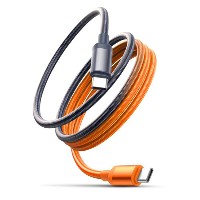
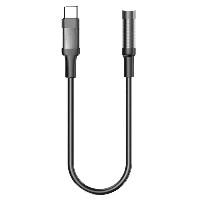
ST319 High-Performance Braided Data Cable
Product Overview
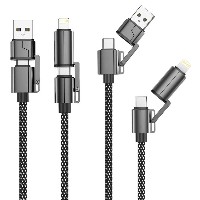
The ST319 series is a durable data cable that combines high-density braiding technology with ABS high-strength connector design, aimed at providing stable and reliable charging and data transfer performance for smartphones, tablets, and laptops. This series offers five independent connector models: USB to Lightning, USB to Micro USB, USB to Type-C, Type-C to Type-C, and Type-C to Lightning. Each model is available as a separate SKU, allowing users to purchase based on their specific device interface type.
Key Specifications
Performance Specifications
USB to Micro USB/Type-C/Lightning Models: Support 5V/2.4A (12W) charging and data transfer
60W Type-C to Type-C Model: Supports 20V/3A (60W) PD fast charging
30W Type-C to Lightning Model: Supports 9V/3A (30W) fast charging
Full Series Functionality: All models support simultaneous charging and data transfer
Key Selling Points
ABS High-Strength Connector Design
Made from engineering-grade ABS plastic, offering high impact resistance and high-temperature tolerance without deformation over long-term use.
The internal connector structure is optimized for smooth and stable plugging/unplugging, with a lifespan exceeding 10,000 cycles.
The surface features a matte sandblasted finish that is fingerprint-resistant and anti-slip, providing a comfortable grip.
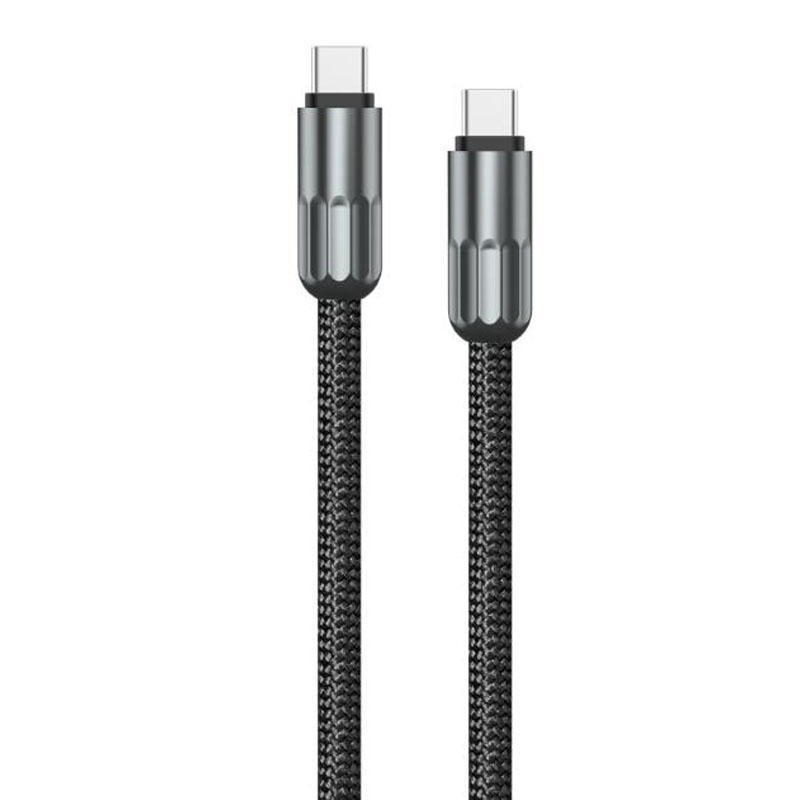
96-Strand High-Density Braided Cable Body
Tight braiding effectively prevents cable tangling, enhancing daily convenience.
The cable diameter is controlled at 4.0mm, balancing flexibility and durability.
Passes 8,000 bend tests, suitable for scenarios involving frequent movement and storage.
Intelligent Charging Protocol Compatibility
Automatically recognizes connected device types and supports multiple fast-charging protocols such as PD3.0, QC3.0, and AFC.
Supports up to 60W high-power output for stable fast charging of thin and light laptops.
Built-in over-current protection and short-circuit prevention mechanisms ensure charging safety.
Dual-Color Fashion Options
Classic Black suits business and general daily scenarios with a low-key and practical appeal.
Vibrant Orange showcases personality, ideal for young users and sports/travel scenarios.
Colors and braided textures are harmoniously unified, enhancing the overall product quality.
Use Cases
Multi-device charging and data synchronization in daily office and home environments.
Shared charging needs in public spaces such as student dormitories and libraries.
Scenarios requiring durable cables, such as sports activities and outdoor trips.
Corporate bulk procurement as standard office equipment accessories.
Technical Features
Operating Temperature Range: -20°C to 60°C
Connector Plug/Unplug Force: 20N ± 5N
Cable Flame Retardancy Rating: UL94 V-0
DC Resistance: <0.1Ω/meter
Data Transfer Standard: USB 2.0
Usage and Maintenance
Before use, ensure connectors and device ports are clean and free of debris.
When storing, use the "figure-8" winding method to avoid excessive bending.
Regularly inspect connectors for signs of wear to ensure safe usage.
Avoid prolonged exposure to high-temperature or humid environments.


 2026 New 240W Type-C Cable USB C Adapter with PD Fast Charging Pure Copper Conductor Silicone Jacket
 2026 New Stand Data Cable 240W Type C to Type C Cable with Travel Holder Adapter for Xiaomi Huawei L
 2026 NEW 240W Fast Charging Cable with Phone Stand Nylon Braided Cable USB C Type C Data Cable PD3.1
 ST-BTR002 Forming Bluetooth receiver Stable and non lagging in car Bluetooth audio cable
 ST-YP-31 L1 type L-dual 3.5mm audio TYPE-C audio head to 3.5mm charging+3.5mm audio socket
 ST-YP-103 Type-C Audio & Charging 2-in-1 Cable (Braided Short Version)
 ST-YP-101 Type-C to 3.5mm High-Elasticity Audio Cable (Zinc Alloy Spring Cable Edition)
 ST-YP-102 Lightning to Bluetooth Audio Transmitter (Braided Transparent Short Version)

 Quote within 24 hours manually
 Quote automatically by the system
 3D design and render
 Sampling within 7 days