ST312 Zinc Alloy 4-in-1 Spring Fast Charging Data Cable
Product Overview
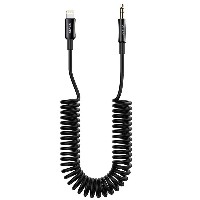
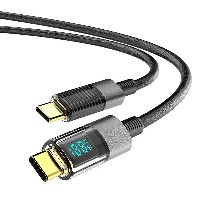
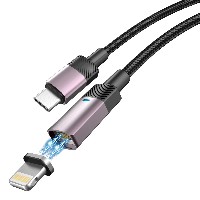
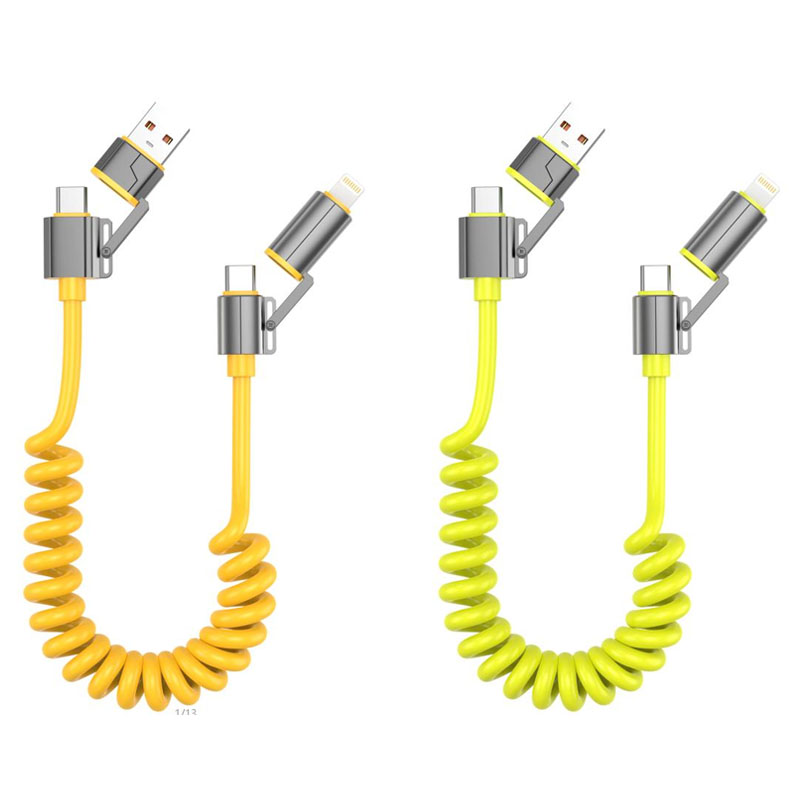
The ST312 is an innovatively designed zinc alloy spring 4-in-1 fast charging data cable. It integrates four mainstream charging solutions—USB to Lightning, USB to Type-C, Type-C to Type-C, and Type-C to Lightning—through a retractable spring cable body and modular multifunctional connectors. With its extended 1.83-meter flexible length and highly resilient spring sheath, it adapts to complex and varied charging environments, enabling full-scenario coverage from daily commutes to home and office use. Truly embodying "stretch to use, one cable for all."
Key Specifications
| Item | Specifications |
|---|
| Length | 1.83 meters (retractable design, normally retracts to about 0.4 meters) |
| Cable Diameter (OD) | 5.2 mm |
| Material | PU spring sheath + Zinc alloy connector module |
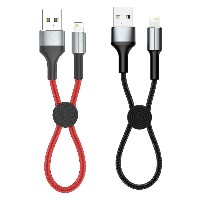
| Colors | Business Black / Vibrant Yellow / Fresh Green |
| Internal Wire Specification | (65/0.08BS+250D)*2C + (16/0.08BS+250D)*3C |
Performance Specifications
| Connector Type | Output Voltage/Current | Max Power | Supported Protocols |
|---|
| USB→Lightning / Type-C | 5V / 3A | 15W | Apple 2.4A, QC 3.0 |
| Type-C→Type-C | 20V / 3A | 60W | PD 3.0, PPS |
| Type-C→Lightning | 9V / 3A | 30W | PD 3.0 (for Apple devices) |
Key Selling Points
Retractable Spring Design, Ready When You Stretch
Features a highly elastic PU spring sheath that extends up to 1.83 meters and retracts to about 0.4 meters for easy storage and tangle-free use.
Excellent tensile and rebound performance, ideal for multi-scenario use in cars, bedrooms, offices, etc.
Zinc Alloy Integrated Connector Module, 4-in-1 Smart Switching
The zinc alloy connector module integrates four modes: Lightning, Type-C (USB-A output), and dual Type-C outputs. Switch easily by rotating or sliding.
Surface treated with sandblasting and anodizing for a refined feel, wear resistance, and scratch protection.
Full Coverage of High-Power Fast Charging
Supports up to 60W PD fast charging, capable of quickly powering thin-and-light laptops and tablets.
Type-C to Lightning supports 30W output, compatible with fast charging for iPhone 15 and later models.
USB-A port delivers 15W output, compatible with most Android phones, earphones, smart bands, and other accessories.
Reinforced Wires for Stable Transmission
Internal structure uses high-purity tinned copper wires: (65/0.08BS+250D)*2C + (16/0.08BS+250D)*3C, ensuring high conductivity and low heat generation.
Supports high-speed data transfer (USB 2.0 standard), allowing simultaneous charging and file transfers.
Multiple Color Options for Personalized Style
Available in three colors: Business Black, Vibrant Yellow, and Fresh Green, catering to different user preferences and environments.
Use Cases
Travel & Business Trips: One cable handles all your phones, tablets, and laptops—no need to carry multiple cables or adapters.
Car Charging: The spring design adapts to different seat distances and stays secure even when the vehicle is in motion.
Home & Office: Covers long distances from bedsides, sofas, to desks, freeing you from outlet limitations.
Tech Enthusiasts: Quickly switch between multiple devices for charging, supporting full power coverage from smartphones to laptops.
Usage Notes
When using 60W PD output, please use a charger that supports the PD protocol (65W or higher recommended).
When switching connectors, ensure they are fully engaged to avoid poor contact.
Avoid over-stretching or bending the spring section to maintain its rebound performance.
Recommended for use in dry environments; avoid liquid contact with the connector module.


 2026 New 240W Type-C Cable USB C Adapter with PD Fast Charging Pure Copper Conductor Silicone Jacket
 2026 New Stand Data Cable 240W Type C to Type C Cable with Travel Holder Adapter for Xiaomi Huawei L
 2026 NEW 240W Fast Charging Cable with Phone Stand Nylon Braided Cable USB C Type C Data Cable PD3.1
 ST-BTR002 Forming Bluetooth receiver Stable and non lagging in car Bluetooth audio cable
 ST-YP-31 L1 type L-dual 3.5mm audio TYPE-C audio head to 3.5mm charging+3.5mm audio socket
 ST-YP-103 Type-C Audio & Charging 2-in-1 Cable (Braided Short Version)
 ST-YP-101 Type-C to 3.5mm High-Elasticity Audio Cable (Zinc Alloy Spring Cable Edition)
 ST-YP-102 Lightning to Bluetooth Audio Transmitter (Braided Transparent Short Version)

 Quote within 24 hours manually
 Quote automatically by the system
 3D design and render
 Sampling within 7 days