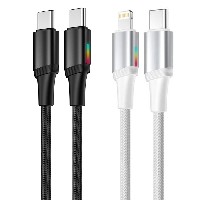
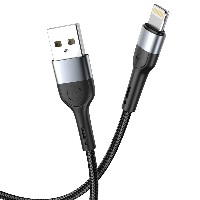
ST77 Zinc Alloy RGB LED Smart Data Cable
Product Overview
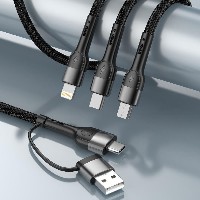
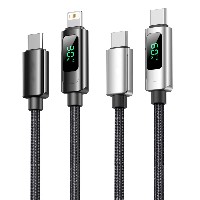
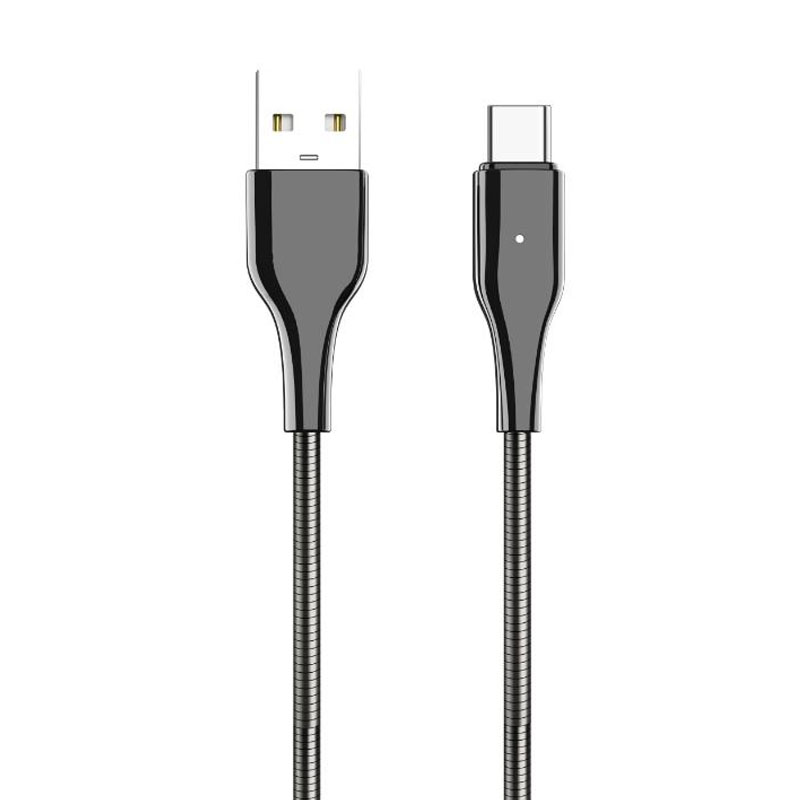
The ST77 series is a premium smart data cable that combines a zinc alloy structure with a metal hose material. Its unique RGB lighting effects and excellent durability complement each other, providing users with an outstanding experience that integrates aesthetic expression and efficient charging. This series offers four connector specifications (USB to Lightning/Micro/Type-C, as well as Type-C to Type-C/Type-C to Lightning). Each connector type is available as a separate SKU; please select the corresponding model based on your device requirements.
Key Specifications
Performance Specifications
USB to Micro/Lightning/Type-C Variants: Support 5V/2.4A (up to 12W) charging and data transfer
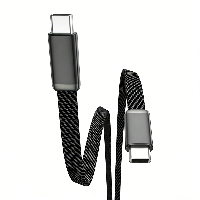
60W Type-C to Type-C Variant: Supports 20V/3A (up to 60W) PD fast charging
30W Type-C to Lightning Variant: Supports 9V/3A (up to 30W) fast charging
Full Series Functionality: All variants support charging and data transfer
Key Selling Points
RGB Lighting Smart Indicator:
The cable housing is integrated with a multi-color LED indicator that displays different lighting effects based on the charging status (e.g., fast charging/standard charging/trickle charging) and features a constant glow mode, making the charging status clear at a glance.
Zinc Alloy and Metal Hose Structure:
The zinc alloy connectors are crafted using a one-piece molding process, offering a solid feel, oxidation resistance, and wear resistance.
The metal hose cable body combines flexibility with support, allowing it to be bent and shaped as needed. It resists tangling and bending fatigue, significantly extending its service life.
Intelligent Power Adaptation:
Equipped with a smart chip that automatically recognizes device types and matches the optimal charging protocol, providing safe fast charging from 12W to 60W for smartphones, tablets, and laptops.
Durability and Aesthetics Combined:
The metal hose is coated with a skin-friendly layer for a comfortable touch, sweat resistance, and anti-slip properties. The overall design, accentuated by RGB lighting, enhances its technological appeal, making it suitable for desktop displays and daily portability.
Use Cases
Ideal for digital users who seek personalized lighting effects and premium materials. Suitable for gaming setups, office environments, car charging, and nighttime use, making it the perfect charging companion for smartphones, tablets, laptops, and other devices.
Important Notes
Avoid excessive bending or pulling of the metal hose section to maintain its structural stability. The lighting mode can be switched by briefly pressing the button on the side of the connector (if equipped).


 2026 New 240W Type-C Cable USB C Adapter with PD Fast Charging Pure Copper Conductor Silicone Jacket
 2026 New Stand Data Cable 240W Type C to Type C Cable with Travel Holder Adapter for Xiaomi Huawei L
 2026 NEW 240W Fast Charging Cable with Phone Stand Nylon Braided Cable USB C Type C Data Cable PD3.1
 ST-BTR002 Forming Bluetooth receiver Stable and non lagging in car Bluetooth audio cable
 ST-YP-31 L1 type L-dual 3.5mm audio TYPE-C audio head to 3.5mm charging+3.5mm audio socket
 ST-YP-103 Type-C Audio & Charging 2-in-1 Cable (Braided Short Version)
 ST-YP-101 Type-C to 3.5mm High-Elasticity Audio Cable (Zinc Alloy Spring Cable Edition)
 ST-YP-102 Lightning to Bluetooth Audio Transmitter (Braided Transparent Short Version)

 Quote within 24 hours manually
 Quote automatically by the system
 3D design and render
 Sampling within 7 days