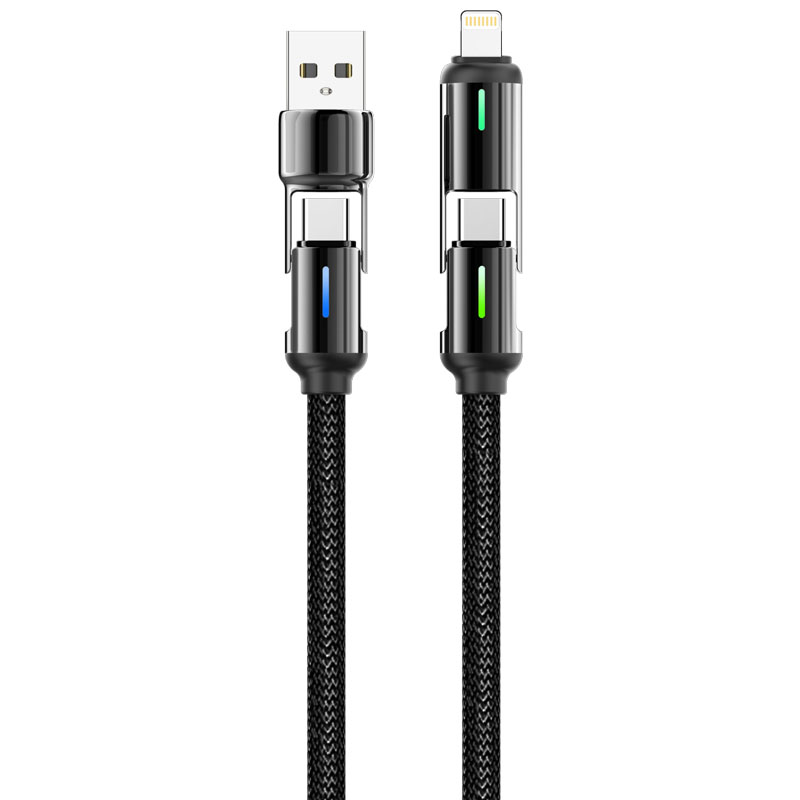
ST326 4-in-1 Zinc Alloy LED Fast Charging Data Cable
Product Overview
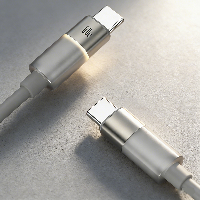
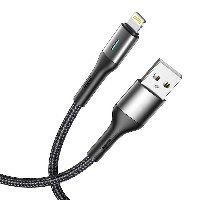
ST326 is a premium fast-charging data cable that integrates 4-in-1 connectivity, a zinc alloy housing, and an LED intelligent display function. Through innovative modular rotating design, it combines four charging modes—USB to Lightning, USB to Type-C, Type-C to Type-C, and Type-C to Lightning—and features high-brightness LED status indicators and power display. Paired with a 6.0mm thickened braided cable body and reinforced zinc alloy structure, it achieves the perfect combination of multi-device compatibility, visual charging status, and long-lasting durability.
Key Specifications
Length: 1.2 meters (extended design)
Material Structure: 48-strand braided outer layer + Zinc alloy rotating module + LED display module
Cable Diameter: 6.0mm (thickened and reinforced)
Color: Onyx Black
Internal Wire Structure: (55/0.08BS+250D)*2C + (16/0.08BS+250D)*3C
Performance Specifications
USB to Lightning/Type-C: Supports 5V/2.4A (12W) charging and data transfer
Type-C to Type-C: Supports 20V/3A (60W) PD fast charging
Type-C to Lightning: Supports 9V/3A (30W) fast charging
Full Function Support: Supports simultaneous charging and data transfer, compatible with mainstream fast-charging protocols such as PD3.0, QC4+, and AFC
Key Selling Points
4-in-1 Intelligent Rotating Switching System
Zinc alloy rotating module integrates four interface modes, allowing quick switching among USB to Lightning, USB to Type-C, Type-C to Type-C, and Type-C to Lightning with a 180° rotation.
Module includes a positioning latch mechanism, ensuring 100% switching accuracy and supporting over 15,000 rotation cycles.
Automatically recognizes connected device types and intelligently matches the optimal charging solution.
LED Intelligent Status Indicator System
Front of the module integrates high-brightness multi-color LED indicators that intuitively display charging status through colors and flashing patterns:
Solid Blue: Standby/Connection successful
Breathing Green: Standard charging in progress
Breathing Orange: Fast charging activated
Flashing Red: Abnormal alert (poor contact/overload, etc.)
LED beads feature low-power design, remaining visible throughout the charging process and clearly distinguishable during nighttime use.
6.0mm Thickened Braided Reinforced Cable Body
Uses 48-strand high-strength braiding technology with a cable diameter of 6.0mm, providing ample internal space for stable high-current transmission.
The braided layer contains bulletproof fibers, achieving a tensile strength exceeding 120N and over 20,000 bend cycles.
Surface is treated with water-splash and stain-resistant coating for worry-free daily use.
Zinc Alloy Military-Grade Durable Structure
Rotating module is made from ZAMAK-5 zinc alloy die-casting, with a triple-layer electroplated and matte sandblasted surface.
Structure passes 5,000 plug/unplug tests and 10,000 rotation fatigue tests, far exceeding industry durability standards.
Built-in triple protection circuit against over-current, over-voltage, and short-circuit ensures safe usage.
Use Cases
Cross-platform multi-device users (simultaneously owning iPhone, Android phones, tablets, laptops).
Desktop charging hubs for gamers and tech enthusiasts.
Multi-device shared charging stations in public spaces like corporate meeting rooms and cafes.
The ultimate "one cable for all" charging solution for travelers.
Technical Features
LED Display Modes: 4-color intelligent indication (Blue/Green/Orange/Red)
Operating Voltage Range: 5V–20V
Maximum Continuous Current: 5A
Rotating Module Lifespan: ≥15,000 cycles
Operating Temperature: -20°C to 60°C
Usage Recommendations
When rotating to switch, hold both ends of the module firmly and rotate evenly, avoiding one-sided force.
Do not scratch the LED indicator area with hard objects; use a soft cloth for cleaning.
For 60W fast charging, use with a 65W or higher PD charger.
When not in use for extended periods, rotate the module to the storage position (connectors facing inward).


 2026 New 240W Type-C Cable USB C Adapter with PD Fast Charging Pure Copper Conductor Silicone Jacket
 2026 New Stand Data Cable 240W Type C to Type C Cable with Travel Holder Adapter for Xiaomi Huawei L
 2026 NEW 240W Fast Charging Cable with Phone Stand Nylon Braided Cable USB C Type C Data Cable PD3.1
 ST-BTR002 Forming Bluetooth receiver Stable and non lagging in car Bluetooth audio cable
 ST-YP-31 L1 type L-dual 3.5mm audio TYPE-C audio head to 3.5mm charging+3.5mm audio socket
 ST-YP-103 Type-C Audio & Charging 2-in-1 Cable (Braided Short Version)
 ST-YP-101 Type-C to 3.5mm High-Elasticity Audio Cable (Zinc Alloy Spring Cable Edition)
 ST-YP-102 Lightning to Bluetooth Audio Transmitter (Braided Transparent Short Version)

 Quote within 24 hours manually
 Quote automatically by the system
 3D design and render
 Sampling within 7 days