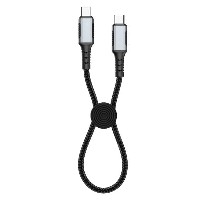
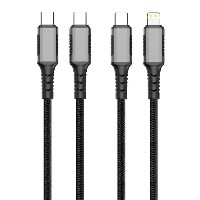
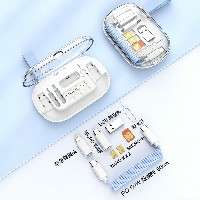
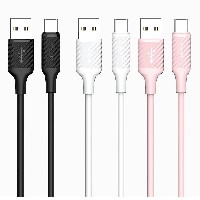
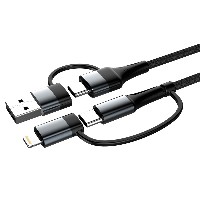
ST320 4-in-1 Magnetic Cable Management Digital Display Fast Charging Data Cable
Product Overview
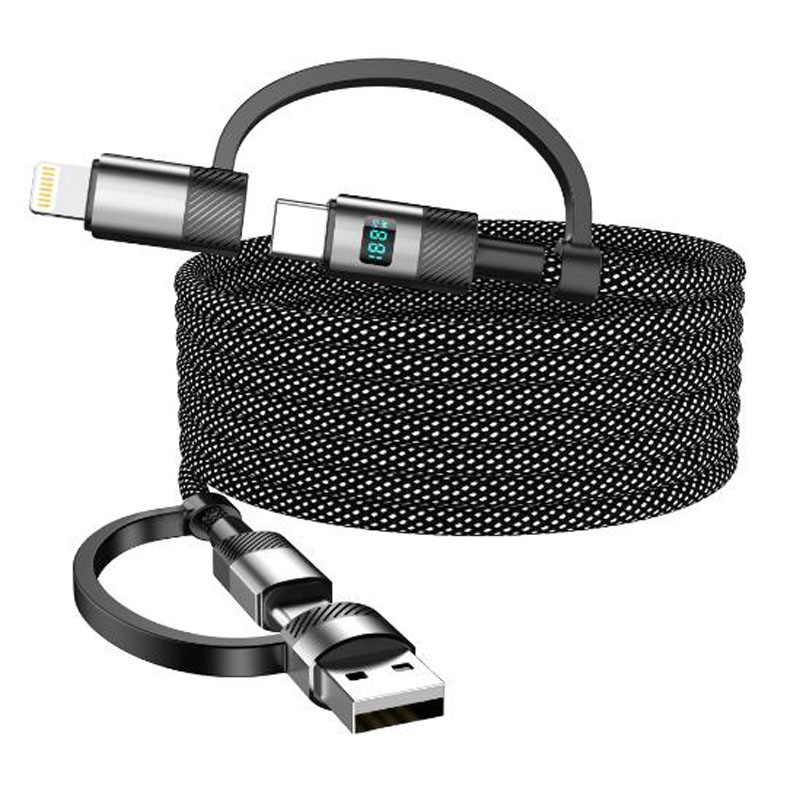
The ST320 is a premium data cable that innovatively integrates a magnetic cable management system, 4-in-1 intelligent switching, and a high-definition digital display. Its unique in-cable magnetic management design enables quick and organized cable storage, while the built-in 4-interface module supports intelligent charging for multiple devices. Equipped with a high-definition display screen for real-time charging power monitoring, this product is designed for high-end users who prioritize a tidy workspace, device compatibility, and visual charging status.
Key Specifications
Length: 1 meter (including magnetic management section)
Material: Braided outer layer + Aluminum alloy digital display module + Built-in magnetic modules
Color: Space Black
Internal Wire Specification: 102-strand high-purity tinned copper wire
Magnetic Cable Management Structure: Three-section neodymium magnetic array + Anti-slip silicone positioning points
Performance Specifications
USB to Lightning: Supports 5V/2.4A (12W) charging and data transfer
USB to Micro USB: Supports 5V/2.4A (12W) charging and data transfer
USB to Type-C: Supports 5V/3A (15W) charging and data transfer
60W Type-C to Type-C: Supports 20V/3A (60W) PD fast charging
30W Type-C to Lightning: Supports 9V/3A (30W) PD fast charging
Full Function Support: Simultaneous charging and data transfer, compatible with mainstream fast-charging protocols such as PD3.0, QC4+, and AFC
Key Selling Points
Three-Section In-Cable Magnetic Management System
The cable body is pre-equipped with three strong magnetic attachment points, allowing quick folding into a compact loop and reducing storage volume by 60%.
Magnetic strength ≥1.8N per point ensures the folded state remains secure without loosening and can be easily unfolded when needed.
Silicone positioning markers indicate optimal folding points, enabling 3-second quick organization.
4-in-1 Intelligent Digital Display Switching
Rotating interface module integrates four charging modes: USB to Lightning/Micro/Type-C and Type-C to Type-C.
1.0-inch IPS color screen displays real-time charging power (W), voltage (V), current (A), and the current protocol in use.
Smart recognition chip automatically matches the optimal charging solution for the device and supports abnormal power alerts.
102-Strand High-Conductivity Copper Wire Transmission
Utilizes 102-strand 5N high-purity tinned copper wire, improving current-carrying capacity by 45% compared to standard cables.
Supports continuous 60W fast charging without overheating, with voltage fluctuation controlled within ±2.5%.
Double-layer braided outer layer provides 85N tensile strength, and an inner layer includes bulletproof fiber reinforcement for bend resistance.
Integrated Magnetic Cable Management Design
Magnetic modules are fully embedded within the cable body, ensuring a smooth surface without protrusions and maintaining an aesthetically pleasing appearance.
When stored, it can attach to metal surfaces (such as desk legs or computer cases) for vertical hanging storage.
Includes magnetic cable management clips to secure the cable along desk edges for customized cable routing.
Use Cases
Gamers and office users who prioritize a tidy desktop.
Charging management at workstations for multi-device creators.
Portable and organized cable storage for travelers.
Professional scenarios requiring visual monitoring of charging status.
Technical Features
Magnetic Strength: ≥1.8N per point
Digital Display Accuracy: ±1.5% (above 20W range)
Cable Resistance: <25mΩ/m
Storage Cycle Lifespan: ≥20,000 folding cycles
Operating Temperature: -20°C to 65°C
Usage Recommendations
Fold the cable at the silicone positioning points for optimal magnetic attachment during storage.
Avoid placing the magnetic sections near strong magnetic fields (e.g., speakers, microwaves).
Clean the digital display screen with a dedicated soft cloth; do not use alcohol-based solvents.
For 60W fast charging, use with a 65W or higher PD charger.


 2026 New 240W Type-C Cable USB C Adapter with PD Fast Charging Pure Copper Conductor Silicone Jacket
 2026 New Stand Data Cable 240W Type C to Type C Cable with Travel Holder Adapter for Xiaomi Huawei L
 2026 NEW 240W Fast Charging Cable with Phone Stand Nylon Braided Cable USB C Type C Data Cable PD3.1
 ST-BTR002 Forming Bluetooth receiver Stable and non lagging in car Bluetooth audio cable
 ST-YP-31 L1 type L-dual 3.5mm audio TYPE-C audio head to 3.5mm charging+3.5mm audio socket
 ST-YP-103 Type-C Audio & Charging 2-in-1 Cable (Braided Short Version)
 ST-YP-101 Type-C to 3.5mm High-Elasticity Audio Cable (Zinc Alloy Spring Cable Edition)
 ST-YP-102 Lightning to Bluetooth Audio Transmitter (Braided Transparent Short Version)

 Quote within 24 hours manually
 Quote automatically by the system
 3D design and render
 Sampling within 7 days