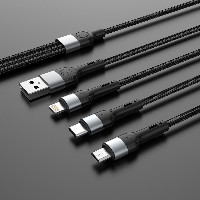
ST480 Charging Data Cable (with Magnetic Self-Coiling Design)
The ST480 is a charging data cable that combines practicality, durability, and convenient storage. We offer four independent interface specifications (SKUs) for you to choose and customize. Its unique magnetic self-coiling feature built into the cable body is the core highlight of this product, designed to solve the everyday annoyance of messy, tangled cables.
Available Specifications & Key Parameters:
Product Model: ST480 Charging Data Cable
Customizable Types (4 SKUs):
USB-A to Lightning Cable
USB-A to Micro USB Cable
USB-A to Type-C Cable
Fast-Charge Specifications:
Electrical Specifications:
USB-A to Lightning/Micro USB/Type-C: 5V 2.4A
60W Type-C to Type-C: 20V 3A
30W Type-C to Lightning: 9V 3A
Length: 1 meter
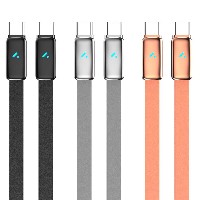
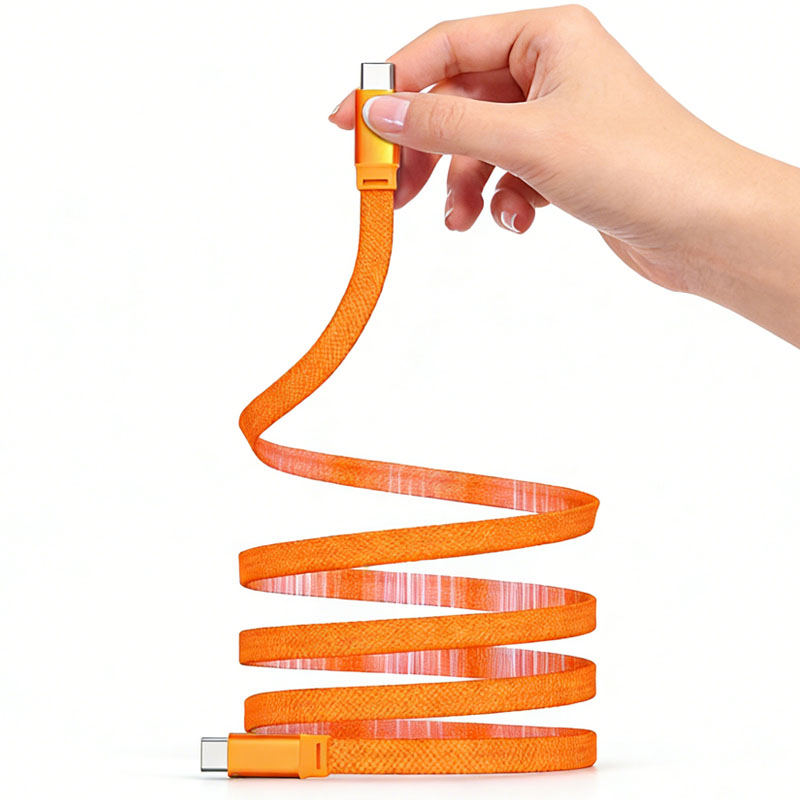
Color: Orange
Primary Materials: High-strength braided cable body + Aluminum alloy connector housing
Conductor Structure (Ensuring High Quality):
Core Selling Points & Features:
Innovative Magnetic Self-Coiling Cable: The entire cable incorporates magnetic materials, allowing the cable itself to be easily coiled up and held in place or attached to metal surfaces for secure storage. Organize with a snap, eliminate tangles, and instantly tidy up your desk, backpack, or car interior.
Secure Coiling & Easy Management: The strong magnetic force keeps the coiled loop firmly in place, preventing it from coming undone. This makes daily storage and retrieval remarkably convenient and significantly reduces the likelihood of misplacing cables left lying around.
Protective Storage, Extended Lifespan: By encouraging and simplifying neat cable organization, this design reduces the risk of physical damage caused by knots, crushing, or sharp bends. This effectively extends the cable's service life and indirectly helps prevent potential damage to device ports caused by yanking on an unsecured cable.
Dedicated Customization, Perfect Match: You can choose and customize from four distinct interface solutions (SKUs) based on your device needs. Whether for legacy devices or new ones supporting PD fast charging, you get the most compatible and efficient charging experience.
Product Summary:
The ST480 is more than just a charging cable; it's an intelligent storage solution. Select the interface type you need, and you'll receive a high-quality data cable that offers efficient charging, exceptional durability, and the ability to coil and organize itself magnetically, completely optimizing your charging experience and space management.


 2026 New 240W Type-C Cable USB C Adapter with PD Fast Charging Pure Copper Conductor Silicone Jacket
 2026 New Stand Data Cable 240W Type C to Type C Cable with Travel Holder Adapter for Xiaomi Huawei L
 2026 NEW 240W Fast Charging Cable with Phone Stand Nylon Braided Cable USB C Type C Data Cable PD3.1
 ST-BTR002 Forming Bluetooth receiver Stable and non lagging in car Bluetooth audio cable
 ST-YP-31 L1 type L-dual 3.5mm audio TYPE-C audio head to 3.5mm charging+3.5mm audio socket
 ST-YP-103 Type-C Audio & Charging 2-in-1 Cable (Braided Short Version)
 ST-YP-101 Type-C to 3.5mm High-Elasticity Audio Cable (Zinc Alloy Spring Cable Edition)
 ST-YP-102 Lightning to Bluetooth Audio Transmitter (Braided Transparent Short Version)

 Quote within 24 hours manually
 Quote automatically by the system
 3D design and render
 Sampling within 7 days